Pimax Dream Air vs Dream Air SE: which VR headset for iRacing?
Pimax makes two lightweight VR headsets with micro-OLED displays: the Dream Air and the cheaper Dream Air SE. Both work in iRacing, but they suit a different sim racer and a different PC. The key points:
- The Dream Air has Sony micro-OLED displays with 3840 × 3552 pixels per eye and a 110° field of view.
- The Dream Air SE has 2560 × 2560 pixels per eye and a 105° field of view, but weighs under 140 grams.
- In the European Pimax store the SE starts at €802 and the Dream Air at €1,783, excluding VAT.
- According to Pimax the Dream Air ships from stock; the SE was on backorder in mid-October.
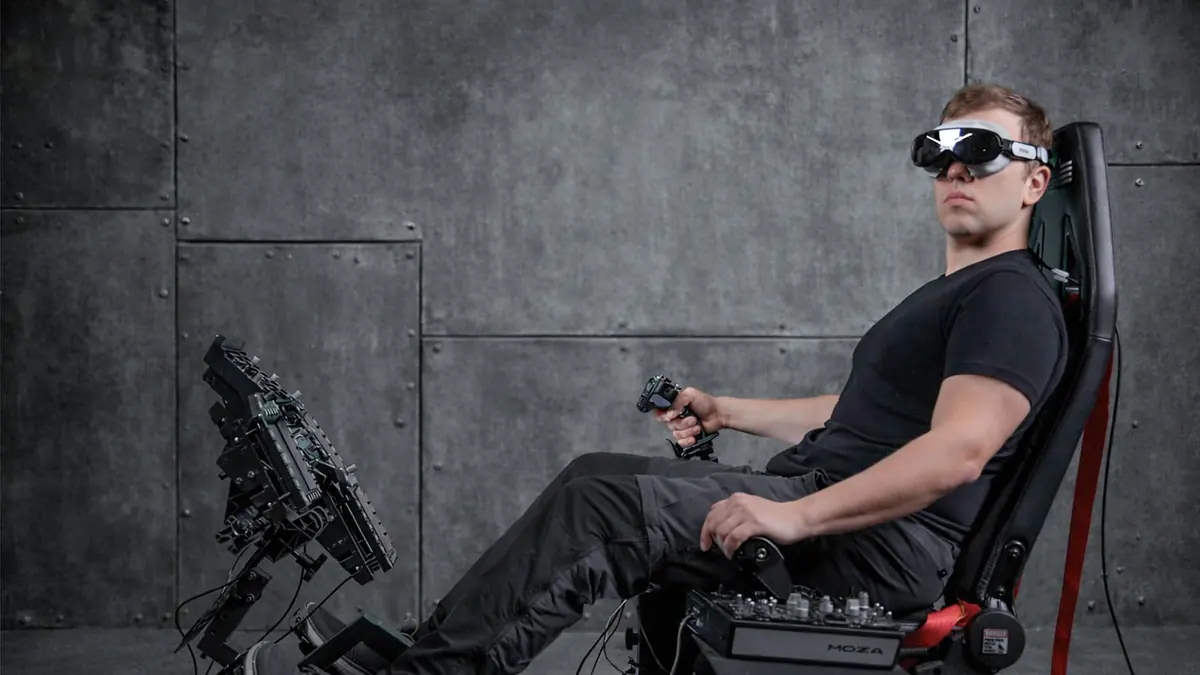
The differences at a glance
Both headsets use pancake lenses, Tobii eye tracking, built-in spatial audio, two cooling fans and a DisplayPort cable to your PC. The tracking choice is the same too: SLAM (cameras on the headset) or Lighthouse (with base stations). The difference is in the displays, the field of view and the weight.
| Spec | Dream Air | Dream Air SE |
|---|---|---|
| Display | Sony micro-OLED | Micro-OLED |
| Resolution per eye | 3840 × 3552 | 2560 × 2560 |
| Field of view (horizontal) | 110° | 105° |
| Refresh rate | 72 / 90 Hz | up to 90 Hz |
| Weight (headset only) | < 170 g | < 140 g |
| Tracking | SLAM or Lighthouse | SLAM or Lighthouse |
| Eye tracking | Yes, Tobii | Yes, Tobii |
| Connection | DisplayPort 1.4a + USB 3.0 | DisplayPort 1.4a + USB 3.0 |
Source: Pimax product pages.
Dream Air: Sony displays and 110 degrees
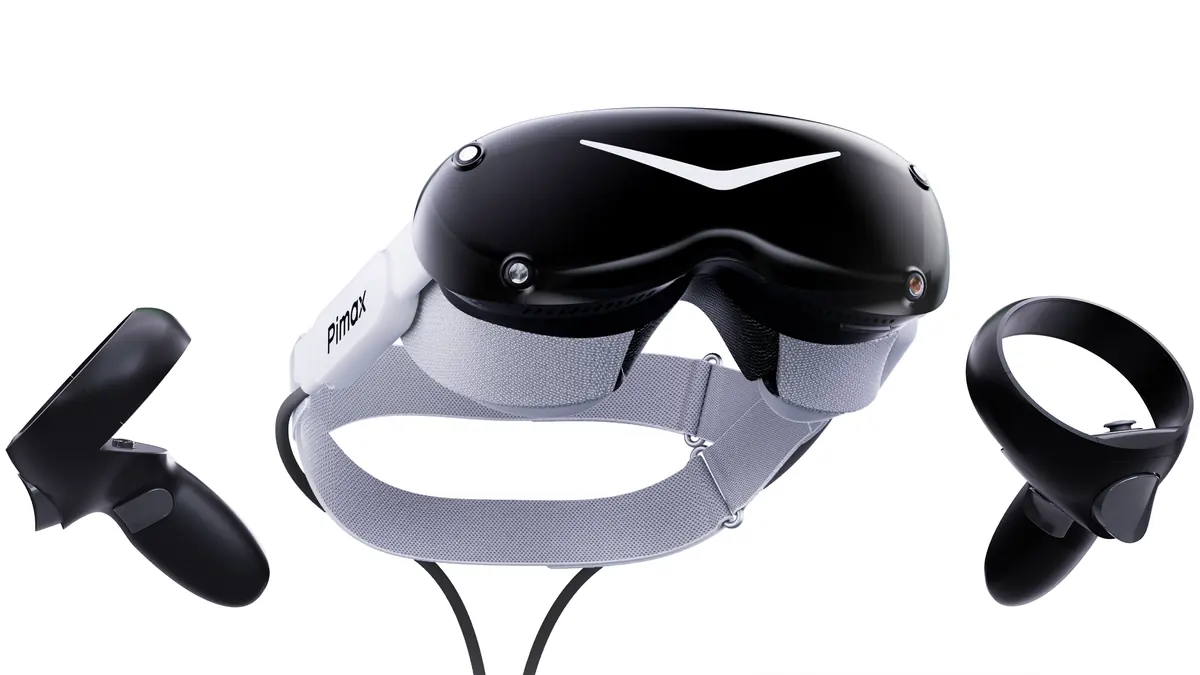
The Dream Air is the flagship. Pimax uses Sony micro-OLED displays with 3840 × 3552 pixels per eye and a horizontal field of view of 110°. The headset weighs under 170 grams and runs at 72 or 90 Hz. Pimax announced in February 2026 that shipping had started.
For sim racers, sharpness is what counts. Braking boards, the dash and a car far ahead are easier to read. The wider field of view helps with mirrors and cars alongside. The flip side: all those pixels ask a lot of your graphics card.
From the pit wall A headset under 170 grams makes a big difference over an hour-long stint compared with a heavy headset. Join one of our endurance races and you will feel it in the final hours.
Dream Air SE: lighter and half the price
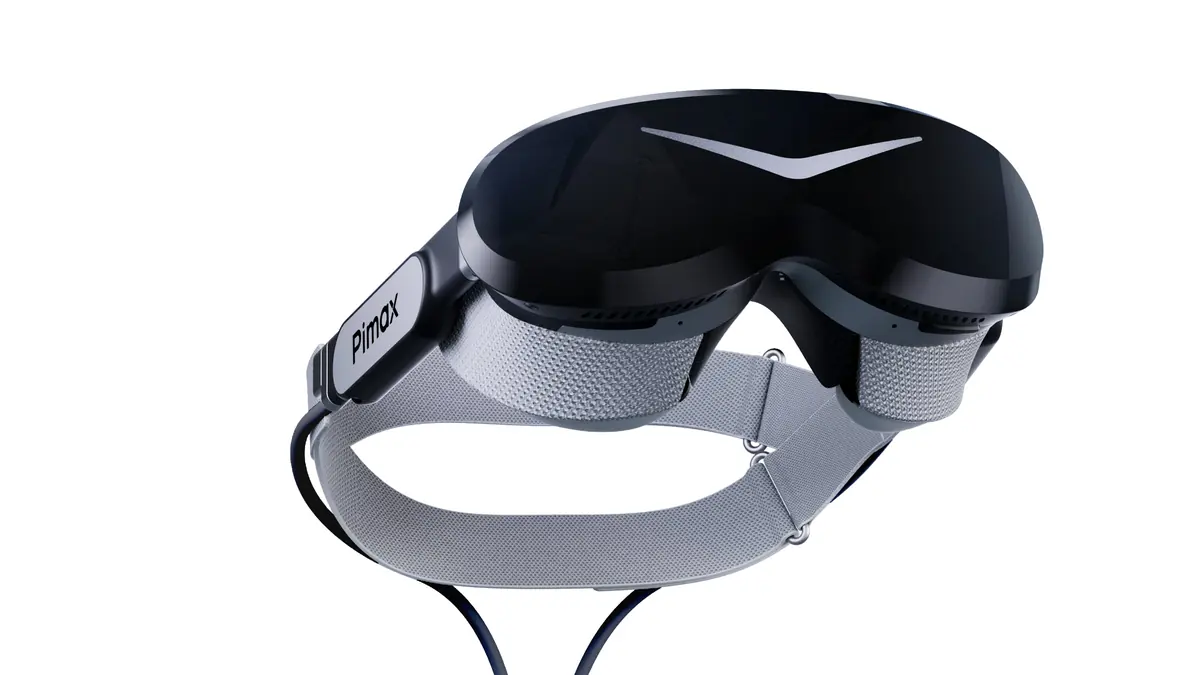
The Dream Air SE has micro-OLED displays with 2560 × 2560 pixels per eye and a horizontal field of view of 105°. According to Pimax, the displays and optics share their base with the Bigscreen Beyond 2. At under 140 grams it is Pimax’s lightest headset.
Pimax lists a refresh rate of up to 90 Hz. According to SimRacingCockpit, the SE runs at 72 Hz at native resolution, and the 90 Hz mode is upscaled from about 1920 × 1920 pixels. That is why most reviewers run it at 72 Hz. The narrower field of view means you turn your head a little more for mirrors and cars alongside.
From the pit wall Fewer pixels means less work for your graphics card. If you race with a Quest or an older headset and do not have a top-end card, the SE is the logical next step.
Prices and availability
Both headsets come in two versions. The Lighthouse version needs SteamVR base stations (1.0 or 2.0); those and the controllers are not included. The SLAM version tracks you with four cameras on the headset, needs no base stations and comes with two controllers.
| Version | Excl. VAT | With 21% Dutch VAT (approx.) |
|---|---|---|
| Dream Air SE, Lighthouse | €802 | €970 |
| Dream Air SE, SLAM + controllers | €1,070 | €1,295 |
| Dream Air, Lighthouse | €1,783 | €2,157 |
| Dream Air, SLAM + controllers | €2,050 | €2,481 |
Prices in the European Pimax store, checked on 27 October 2026. Pimax shows prices excluding VAT and adds the VAT of your country at checkout; the amount with Dutch VAT is our own calculation. Shipping is extra.
In its shipping update of 15 October 2026, Pimax said both versions of the Dream Air were in stock, with a fulfilment time of 3 to 5 business days. The Dream Air SE was on backorder at the time, at about 2 to 3 weeks. Pimax gave those times for the United States as an example.
What PC do you need?
Pimax gives the same requirements for both headsets. You need a graphics card with a DisplayPort 1.4a output, a USB 3.0 port and Windows 10 or 11.
- Minimum: an RTX 2070, RTX 3060 or RTX 4060 (or RX 5700 XT), with 16 GB of RAM.
- Recommended: an RTX 3080, RTX 4070 or RX 6800, with 16 GB of RAM.
- For maximum settings: an RTX 4070 Ti up to an RTX 5090 or RX 7900 XT(X), with 32 GB of RAM.
A laptop works too, as long as the graphics card is wired directly to a Mini DisplayPort or USB-C port. SimRacingCockpit recommends the Dream Air if you have an RTX 4080, 4090 or 5090. Without a card like that, SimRacingCockpit recommends the SE for most sim racers.
Setting up VR in iRacing
iRacing has supported VR since 2013 and lists Pimax among the supported brands on iRacing’s VR page. Here is how to switch it on:
- Install Pimax Play and test the headset there first.
- In the iRacing app, pick the display mode with the headset icon at the top right. According to iRacing, OpenXR works best for most headsets.
- Start a Test Drive to check that everything works.
- In the sim, turn on foveated rendering under Display → VR. With eye tracking, iRacing only renders sharply where you look, which saves a lot of GPU work. For that, also turn on Allow Eye Tracking and select Pimax’s OpenXR runtime instead of SteamVR’s. According to the iRacing 2025 Season 4 release notes, foveated rendering needs an Nvidia RTX 2000 series card or newer.
Do not use OpenXR Toolkit: iRacing advises against it and now has foveated rendering built in. More details are in the iRacing article What You Need to Play iRacing in VR. No subscription yet? First read what iRacing costs or go to iracing.com.
From the pit wall In VR the headset sets your field of view, so you do not need the FOV calculator. Racing on a monitor? Read iRacing FOV settings.
Which one suits you?
- Pick the Dream Air if you have a fast graphics card, drive long stints and want the sharpest image and the widest field of view.
- Pick the Dream Air SE if you are new to VR, have a regular gaming PC or want to spend around €1,000.
- Lighthouse or SLAM? If you already own base stations, Lighthouse is cheaper. Without base stations, SLAM is the easiest. In the cockpit you sit still, and according to SimRacingCockpit SLAM head tracking is stable there.
Still building your setup? First read building a sim racing rig and what sim racing costs. That guide advises buying VR or triples only once the rest is in place.
Frequently asked questions
What is the difference between the Pimax Dream Air and the Dream Air SE?
The Dream Air has Sony micro-OLED displays with 3840 × 3552 pixels per eye and a 110° horizontal field of view. The SE has micro-OLED displays with 2560 × 2560 pixels per eye and a 105° horizontal field of view, and weighs under 140 grams instead of under 170 grams. Both have eye tracking and come with SLAM or Lighthouse tracking.
How much do the Dream Air and Dream Air SE cost in euros?
In the European Pimax store the Dream Air SE costs €802 (Lighthouse) or €1,070 (SLAM with controllers), and the Dream Air €1,783 (Lighthouse) or €2,050 (SLAM with controllers). Those prices exclude VAT; Pimax adds the VAT of your country at checkout.
Does the Pimax Dream Air work in iRacing?
Yes. iRacing supports VR through OpenXR, OpenVR and Oculus and lists Pimax among the supported brands. iRacing also supports dynamic foveated rendering with eye tracking, which both Dream Air models have.
Do I need base stations?
Only for the Lighthouse version. The SLAM version tracks your head with four cameras on the headset and needs no base stations.
Sources
- Pimax: Dream Air (specifications)
- Pimax Store: Pimax Dream Air
- Pimax Store: Pimax Dream Air SE
- Pimax EU store: euro prices
- Pimax: Dream Air vs. Dream Air SE
- Pimax: October 2026 Shipping Update
- Pimax: Dream Air Begins Shipping
- Pimax: Taxes and VAT
- SimRacingCockpit: Pimax Dream Air SE review
- SimRacingCockpit: Dream Air vs Dream Air SE
- iRacing.com: Virtual Reality
- iRacing Support: What You Need to Play iRacing in VR
- iRacing Support: Notice Regarding OpenXR Toolkit
- iRacing Support: 2025 Season 4 Release Notes